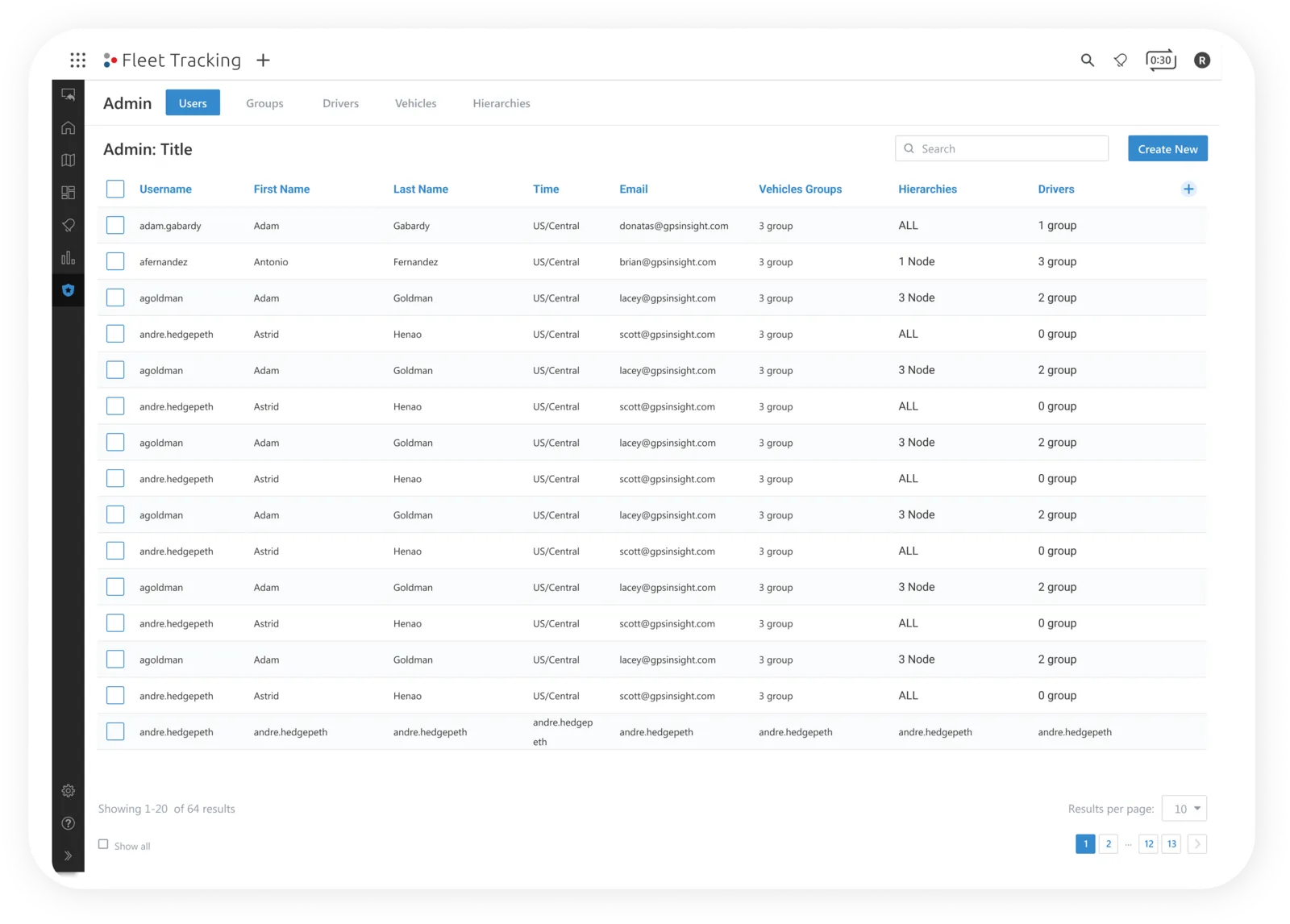
I was the primary designer leading this project in Q1–Q2 2022: early discovery & concepts, regular presentations to leadership & subject matter experts, & final designs for production.
I worked with two product managers, a team of engineers, & people from account management, user onboarding & sales engineering.
- Primary designer, Q1–Q2 2022
- 2 product managers, engineers, account management, onboarding & sales engineering
- GPS Insight, fleet telematics SaaS
- Small business “standard tier”
Project summary
GPS Insight is a fleet telematics software company. We sell devices that are installed in vehicles to help companies mitigate risk & track their assets, for everyone from electricians with a few technicians in the field to government fleets with hundreds of vehicles.
This initiative focused on our small business tier: bringing the admin management that existed in the outdated legacy platform into the new portal, where it did not exist yet. Until it did, our “standard tier” users were still working in the old platform.
With the features in the new portal, we can retire the old platform & give users more features & tasks that are much easier to complete. The redesign also lets GPS Insight scale in ways the old platform could not, & opens the door to up-selling other products & tiers.
The problem
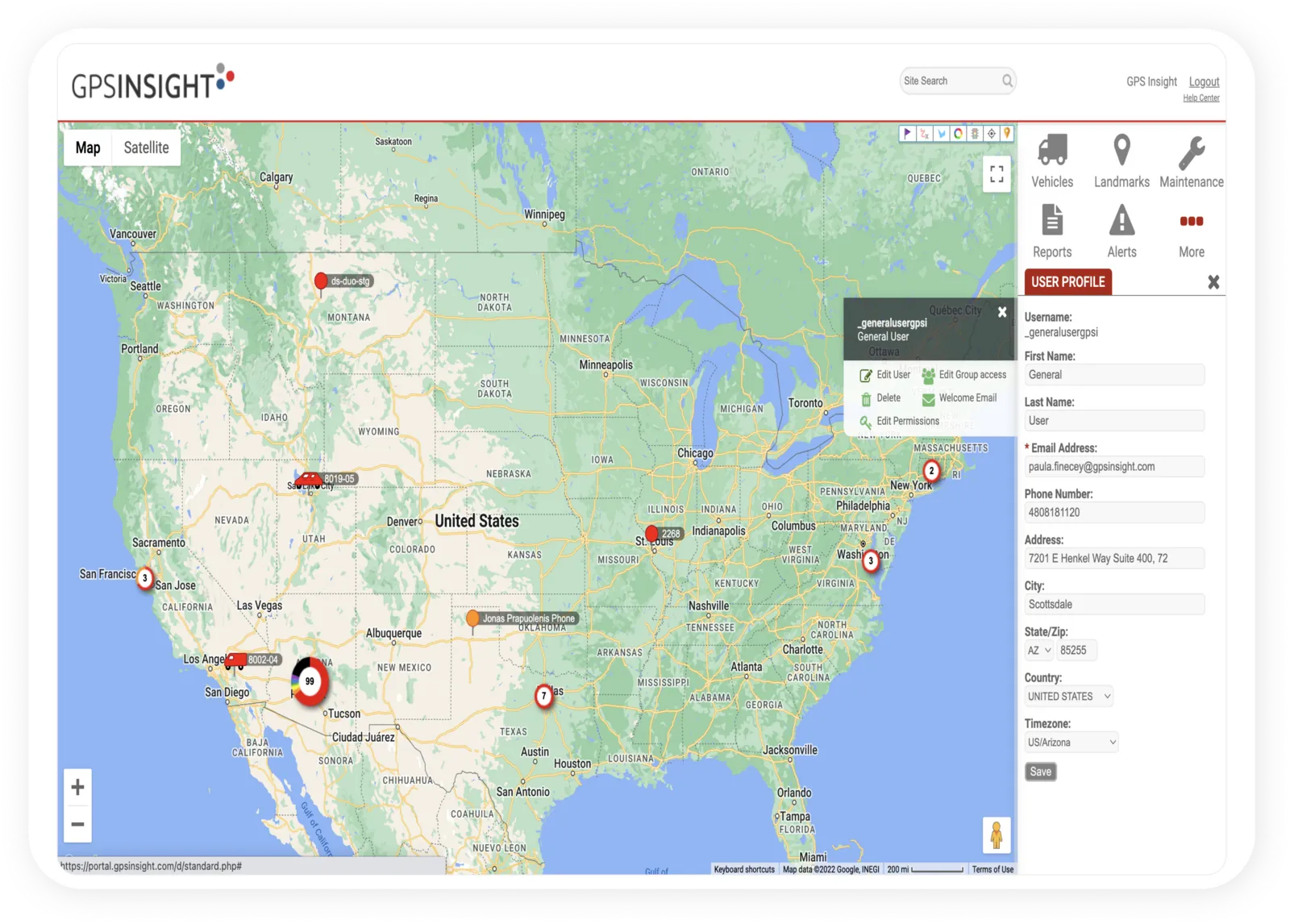
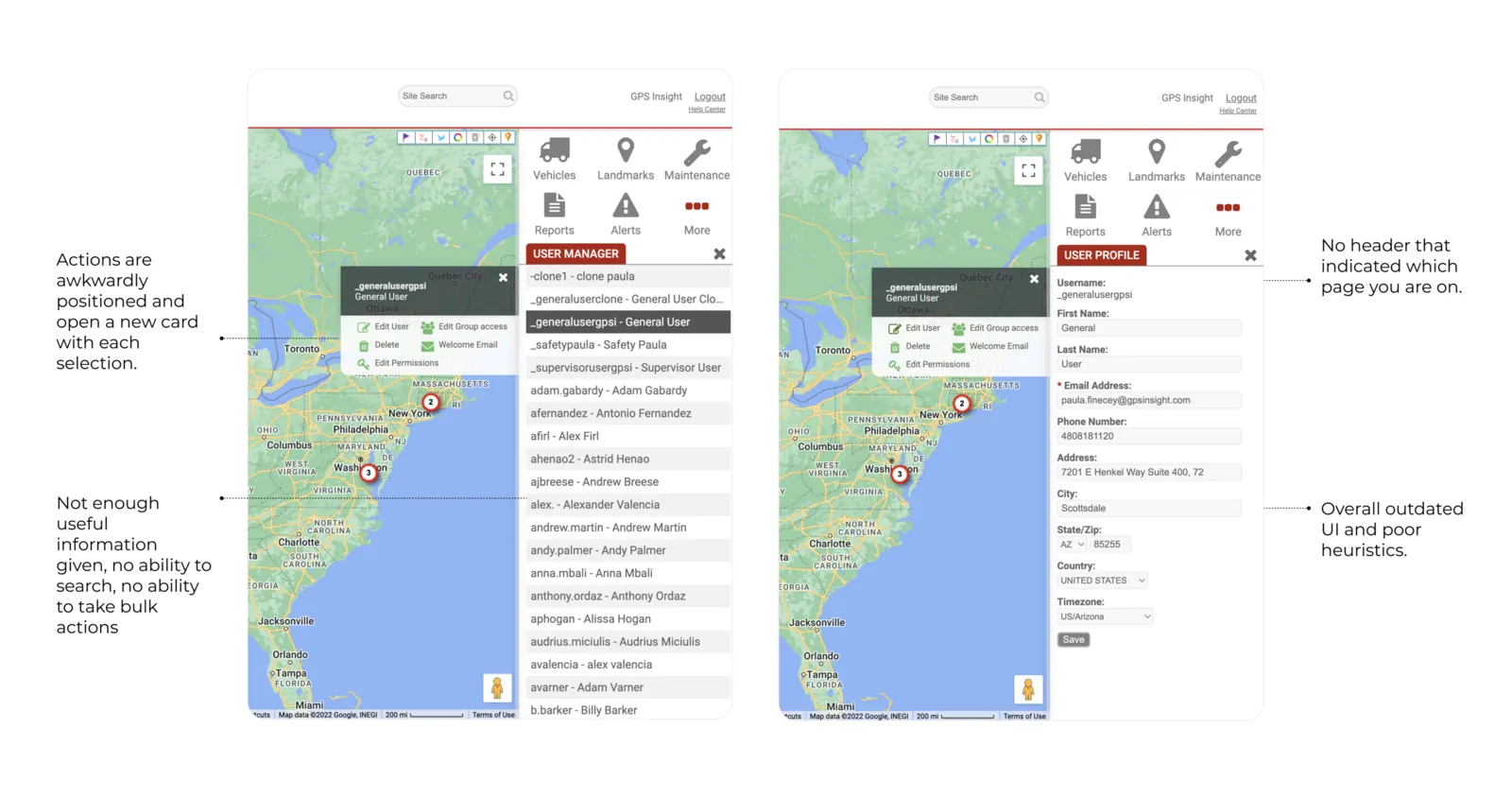
Users could not manage users, drivers, vehicles or groups at scale. The only information given was the username, & any action on a selection replaced the right card with a new one, with no way back to the previous card.
People moved back & forth to double-check their selections & got lost in the task. Admins were frustrated by such a segmented, disjointed experience. They also felt the map was wasted space, since a map is not needed to manage users or vehicles.
Breakdown of the legacy experience
Business perspective
Because “standard tier” users relied on the classic portal for certain tasks, they could not fully use the new one. That led to:
- Poor usability overall, & a long onboarding process that would not scale with growth.
- No way to up-sell to higher tiers or add-ons such as cameras or field service management software.
User goals
Ability to search
People can search through their data.
Batch editing
Edit, delete & change group assignments for more than one item at a time.
Streamlined workflows
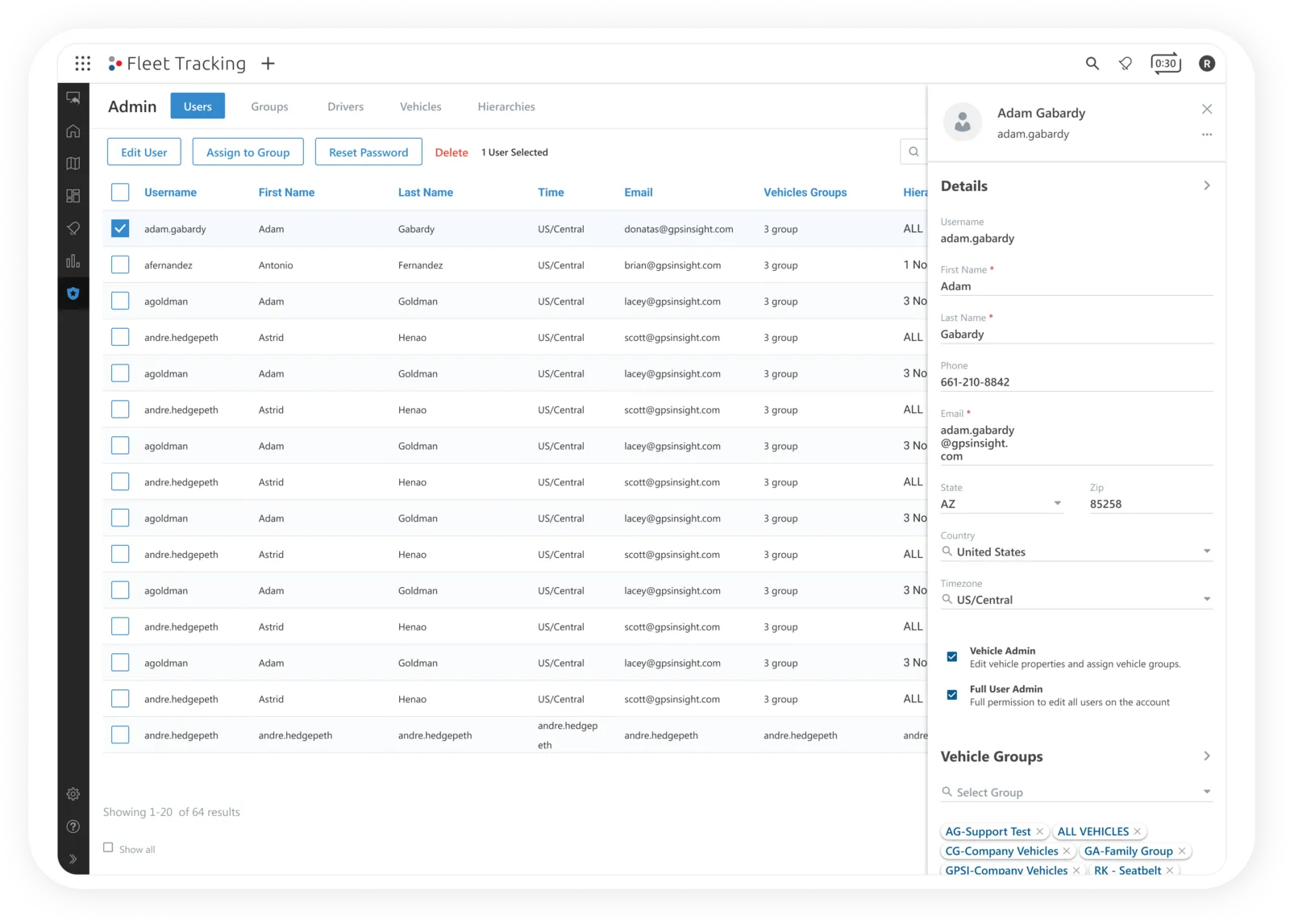
Complete tasks without leaving the page, in the right drawer.
Search + batch editing
- Deleting users one at a time had left bloated data sets. Now it is one action.
- Assigning users to groups one by one is now one action too.
- Resetting passwords for a group of users saves an admin real time.
- Admins can filter data from the search input.
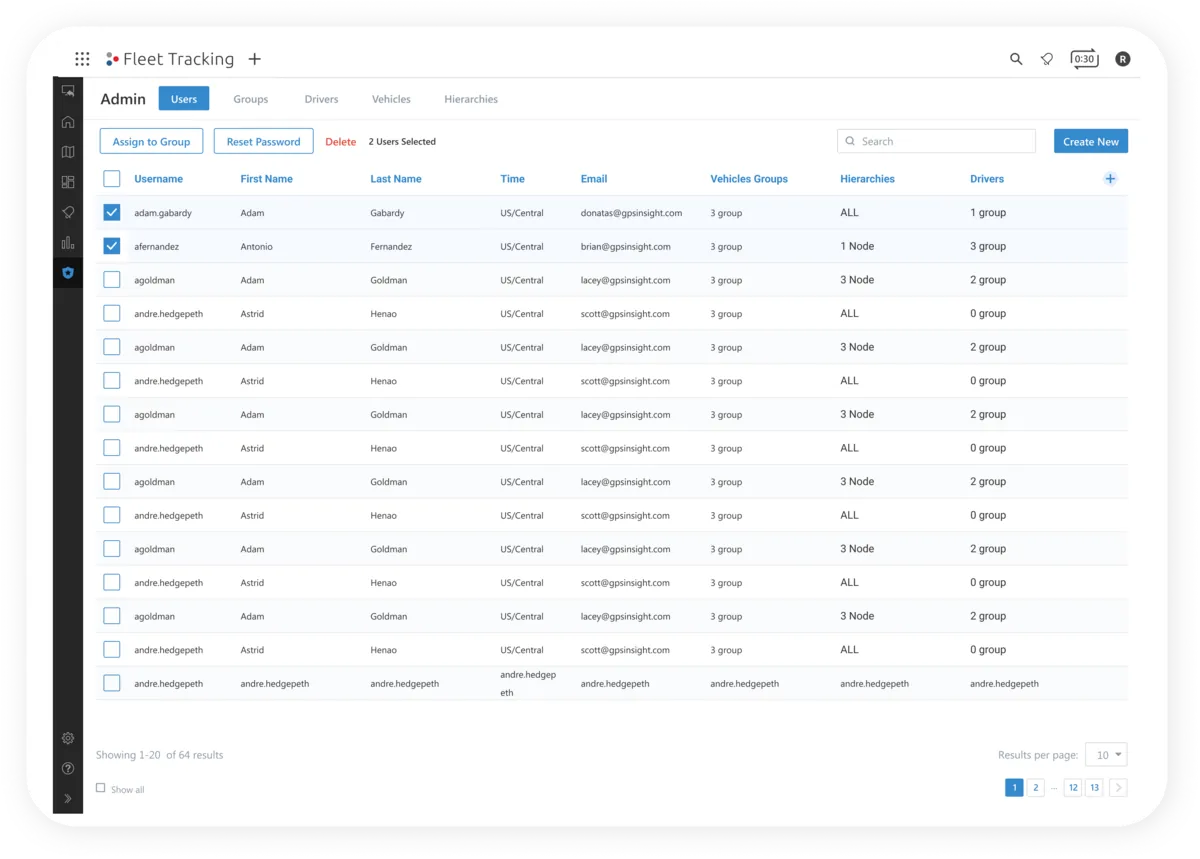
Streamlined workflow
- Nobody has to leave the page for any action.
- Creating, editing, managing group assignments & getting more information all happen in the right drawer.
- The map is gone from the admin workflow, & its space now serves the task at hand.